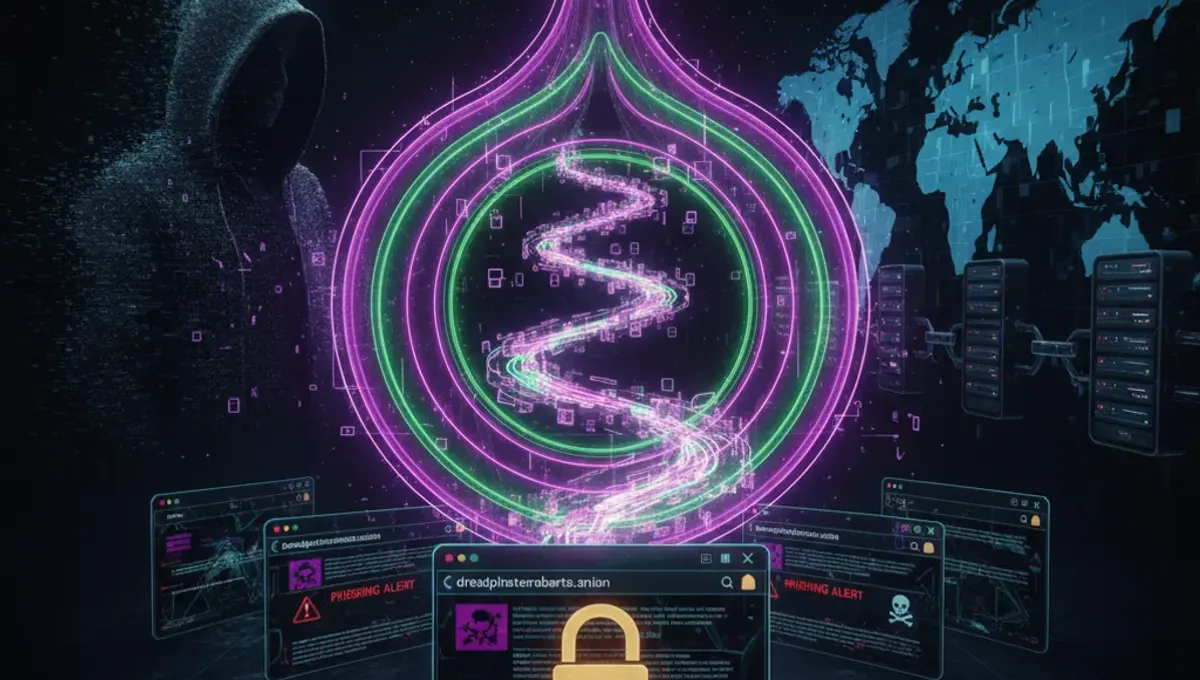
What Are Dark Web Websites and How Do They Differ from Surface Web Sites?
Dark web websites are hosted on servers configured to operate exclusively within the Tor network. Unlike surface web sites that use standard DNS and IP addresses, dark web websites are identified by .onion addresses—cryptographic identifiers that route traffic through multiple Tor relays before reaching the destination server. This architecture provides several technical differences: the server's location is hidden from visitors, the visitor's IP address is hidden from the server, and all traffic is encrypted end-to-end. Dark web websites can serve legitimate purposes such as hosting uncensored news outlets, privacy-focused email services, and whistleblowing platforms, as well as illegal marketplaces and forums. The anonymity provided by the Tor network is neutral—it protects both legitimate users seeking privacy and those engaged in illegal activity. The key distinction lies not in the technology itself but in how each website uses it and what content or services it provides.
How Do Onion Addresses and Tor Routing Work?
An onion address is a 56-character string (v3 addresses) or 16-character string (legacy v2 addresses) that serves as the cryptographic identifier for a Tor hidden service. When you connect to a dark web website, your Tor browser does not connect directly to the server. Instead, your traffic passes through a minimum of three Tor relays: an entry relay, a middle relay, and an exit relay. For onion addresses, the connection is even more protected—it uses a direct encrypted tunnel to the hidden service without exiting through a standard exit relay. The Tor network uses onion routing, a technique where each relay removes one layer of encryption, revealing only the address of the next relay in the chain. This means no single relay knows both your IP address and the destination server's location. V3 onion addresses, introduced in 2019, use stronger cryptography (Ed25519) than legacy v2 addresses and are resistant to certain types of attacks. The address itself is derived from the server's public key, making it mathematically tied to the service's identity.
How to Safely Access Dark Web Websites
Accessing dark web websites requires the Tor Browser, an official tool maintained by the Tor Project that bundles the Tor network client with a modified version of Firefox. Follow these steps:
- Download Tor Browser from the official Tor Project website only—verify the GPG signature to confirm authenticity;
- Install it on your system;
- Launch Tor Browser and wait for it to establish a connection to the Tor network;
- Once connected, use the browser to navigate to .onion addresses. Critical safety practices include: keep Tor Browser updated to patch security vulnerabilities, disable JavaScript in Tor Browser settings to prevent certain exploit vectors, use the default window size to avoid fingerprinting, avoid maximizing the browser window, disable plugins and extensions unless absolutely necessary, and never open files downloaded from dark web sites in applications that might reveal your IP address. Do not use the same username or email across different dark web sites, as this can link your identities. Disable WebRTC in your browser to prevent IP leaks. Consider using a dedicated virtual machine or operating system for dark web access to isolate it from your main system.
How to Verify Authentic Dark Web Websites and Detect Phishing Clones
Phishing clones are fake copies of legitimate dark web websites designed to steal credentials, private keys, or personal information. Verification requires checking the onion address itself and the site's cryptographic signatures. Legitimate dark web websites publish their official .onion address on multiple channels—official social media accounts, PGP-signed announcements, or external verification sites. Always cross-reference the address you are visiting with the official source. Many dark web sites publish PGP public keys that sign important announcements; verify these signatures using a PGP tool to confirm the message came from the legitimate operator. Check for HTTPS encryption within Tor (indicated by a lock icon in the address bar), though this does not guarantee legitimacy. Examine the site's design, spelling, and functionality—clones often have subtle differences or missing features. Be suspicious of sites requesting unusual information like your full name, address, or phone number without clear operational necessity. If a site's onion address differs by even one character from the official address, it is a different service entirely. Bookmark verified .onion addresses to avoid typing them repeatedly and potentially landing on a clone. Use the site's official contact methods to report suspected phishing clones.
What Are V3 Onion Addresses and Why Are They More Secure?
V3 onion addresses are the current standard for Tor hidden services, introduced in 2019 to address security weaknesses in legacy v2 addresses. V3 addresses are 56 characters long and use Ed25519 elliptic-curve cryptography, which is more resistant to cryptanalytic attacks than the RSA-based system used in v2 addresses. The longer address space makes it computationally infeasible to generate a vanity address through brute force, whereas v2 addresses could be generated with modest computational resources. V3 addresses also support improved client authorization, allowing operators to restrict access to specific users without exposing the service to the broader network. The cryptographic binding between the address and the service's key is stronger, making it harder for an attacker to impersonate a service. All new dark web websites should use v3 addresses; any site still using v2 addresses is either legacy infrastructure or potentially untrustworthy. When accessing a dark web website, verify that the address follows the v3 format. The Tor Project has deprecated v2 address support, meaning older sites may become inaccessible as the network transitions fully to v3.
Common Mistakes That Compromise Anonymity on Dark Web Websites
Even when using Tor, user behavior can leak identifying information. Common mistakes include:
- Maximizing the browser window—this reveals your screen resolution, which can be used for fingerprinting;
- Using the same username across multiple dark web sites, allowing correlation of your accounts;
- Disabling Tor Browser's security features or installing additional extensions, which can introduce vulnerabilities;
- Torrenting over Tor, which bypasses the Tor network and exposes your IP address;
- Enabling plugins like Flash or Java, which can leak your real IP;
- Filling out forms with personal information or using existing email addresses;
- Increasing the Tor Browser window size or changing default settings, which increases your fingerprint uniqueness;
- Accessing dark web sites while also using your regular browser with logged-in accounts, allowing correlation through timing or behavioral analysis;
- Taking screenshots or sharing information about sites you visit, which can be traced back to you;
- Assuming Tor alone protects you from malware—if you download and execute files from untrusted sources, they can compromise your system regardless of Tor. Each mistake reduces your anonymity by introducing identifiers or behavioral patterns that can be tracked.
Comparing Tor, VPN, and I2P for Accessing Dark Web Websites
Tor, VPN, and I2P are three different technologies for anonymity and privacy, each with distinct characteristics. Tor routes traffic through multiple relays operated by volunteers worldwide, providing strong anonymity but slower speeds due to the overhead of multiple hops. Tor's exit relays can see unencrypted traffic, but the entry relay cannot see your destination. Tor is specifically designed for accessing .onion services and is the standard for dark web access. A VPN encrypts your traffic and routes it through a single provider's server, hiding your IP from websites but not from the VPN provider itself. VPNs are faster than Tor but offer less anonymity because the provider has visibility into your traffic and can be compelled to log it. I2P is a decentralized network similar to Tor but designed for internal communication and file sharing rather than general web browsing. I2P uses unidirectional tunnels and is optimized for low-latency applications, but it has a smaller user base and fewer exit points. For accessing dark web websites specifically, Tor is the only appropriate choice because .onion services are designed to work with Tor's routing protocol. Using a VPN with Tor adds a layer of encryption but does not significantly improve anonymity and can introduce trust issues if the VPN provider logs traffic. I2P cannot access .onion services and is not suitable for this purpose.
Frequently asked questions
Are all dark web websites illegal?
No. Dark web websites serve many legal purposes, including hosting uncensored news archives, privacy-focused communication platforms, whistleblowing services, and forums for discussing technology and privacy. The Tor network itself is legal in most countries. However, some dark web websites do facilitate illegal activities. The legality of a specific site depends on its content and the laws of your jurisdiction. Using Tor and accessing .onion sites is not inherently illegal, but accessing or using services that violate local laws is.
Can I access dark web websites without Tor Browser?
Technically, you can access .onion addresses using other Tor clients or by configuring Tor manually, but Tor Browser is the recommended tool because it includes security hardening, automatic updates, and protections against fingerprinting. Attempting to access .onion sites through a standard browser or VPN will not work because .onion addresses are only routable through the Tor network. Using unofficial or poorly maintained Tor clients increases your risk of misconfiguration or exploitation.
How do I know if a dark web website is a phishing clone?
Verify the .onion address character-by-character against the official source—even one character difference means it is a different site. Check for PGP-signed announcements from the legitimate operator. Look for inconsistencies in design, spelling, or functionality compared to the official site. Legitimate sites often publish their address on multiple channels. If you are unsure, contact the site's operators through their official communication channels before entering any credentials or sensitive information.
What should I do if I find a phishing clone of a dark web website?
Report it to the legitimate site's operators using their official contact methods. Many dark web sites have dedicated channels for reporting security issues. Document the fake address and any details about the clone. Do not interact with the phishing site or encourage others to visit it. If the clone is hosting malware or facilitating fraud, you can report it to relevant authorities, though enforcement on the dark web is limited.
Is using a VPN with Tor safer for accessing dark web websites?
Using a VPN before Tor adds an encryption layer but introduces a trust issue—your VPN provider can see that you are using Tor, and if they log traffic, they have records of your activity. This does not significantly improve anonymity and may reduce it if the VPN provider is compromised or compelled to provide logs. For dark web access, Tor alone is generally sufficient if used correctly. If you use a VPN, choose one that does not log and understand that you are trusting the provider with visibility into your Tor usage.